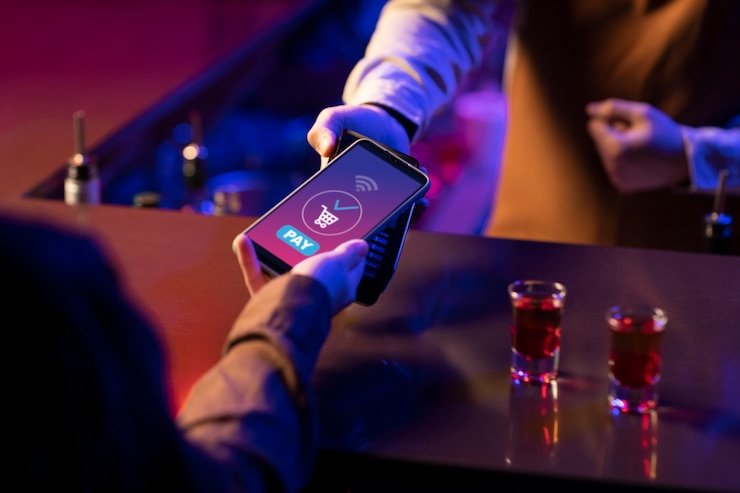
The ep777com mobile experience runs through your phone browser — no separate download required to reach the lobby, sign in, or browse games like Crash Limitless and Live Cricket Odds. Access depends on local law and is available where local law permits.
If the mobile view is not loading correctly or your account session drops mid-game, our support paths are available directly from the site. Whether you are on Android or iOS, the help route stays the same — use the live chat icon visible in the lobby, send an email from your registered address, or check the published install and access guide linked from your account dashboard. Each channel is staffed to handle account-specific questions, browser compatibility queries and session recovery steps.
Live Chat
Access the chat icon directly from the mobile lobby. It stays visible on the screen while you browse. Use it for account login issues, browser errors or session questions — the chat route is the fastest way to reach us from your phone.
Email Support
Send your query from the registered account email address. Include your account username and a short description of the mobile access issue. Email is suited for account recovery steps and compatibility questions that need a written record.
Access and Install Guide
A published guide covering browser settings, screen layout and account sign-in on mobile is linked from your account dashboard after login. It is updated whenever the site's mobile configuration changes — check there before contacting support.
ACCESS TRUST CHECKS
Four Things to Verify Before You Start
Mobile access on any platform carries a few simple checks worth doing before you enter account credentials. Confirming you are on the correct domain, reviewing the device guidance we publish, keeping your login details private and knowing the account recovery path are the four habits that protect your session. These are not optional steps — they are the difference between a smooth first session and a locked-out account.
Confirm the Domain
Before entering your password, check that the browser address bar shows the correct ep777com domain. Phishing copies of gambling sites are common. Bookmark the correct address directly from the official site the first time you access it on your phone.
Review Device Guidance
The site publishes device and browser guidance in the account help section. Review which browsers render the lobby layout correctly on your handset before your first session. This saves troubleshooting time if game tiles or menus appear out of position.
Protect Your Credentials
Use a password that is unique to this account. Do not save it in a shared browser profile or a phone that others use regularly. Your account wallet and game history are tied to that login — a compromised password means compromised access to all of it.
Know the Recovery Path
The published account recovery flow — password reset via your registered email or phone number — is available on the login page. Locate it before you need it. If your recovery contact details change, update them in account settings while you still have access.
HOW ACCESS WORKS
What the ep777com Mobile Site Actually Gives You
The ep777com mobile site is built around a responsive layout that adjusts to your phone screen without needing a native app installed. Open the site in a current Android or iOS browser and the lobby loads with category tabs — slots, live casino, crash games and sports — each tappable from the top row.
MOBILE SCREEN FEATURES
What the Mobile Layout Renders on Your Screen
The rendered mobile layout is designed so that every core account action sits within two taps from the lobby. Navigation stays at the top of the screen, category switching does not require a page reload, and game detail pages open within the same session without losing your lobby position. These are browser-rendered behaviours — they work on a current mobile browser without any additional installation. The four features below describe what you can expect to see and interact with on a supported mobile screen.
Category Rail Navigation
The top of the mobile lobby shows a horizontal rail of game categories — slots, live casino, crash games, table games. Tapping any category filters the tile grid below it instantly. You can move between Slot MagicSpin and Live Cricket Odds sections without leaving the lobby screen.
Account Menu Access
Your account menu icon sits in the top corner of every screen. From there you reach wallet balance, transaction history, personal details and the help section. All account management routes are available from the same menu on mobile as on desktop — no features are hidden behind a larger screen.
Game Detail Pages
Tapping a game tile opens a detail page showing the game name, studio, category and a launch button. Where the provider exposes RTP, it is shown on that detail page — we do not display RTP figures for games where the provider has not published them. This applies to all titles from Pragmatic Play, Habanero, PG Soft, Spadegaming and CQ9.
Session Continuity
Your session stays active while you move between lobby pages on the same browser tab. If you close the browser and return, the login page loads with your username pre-filled if you allowed the browser to remember it. Game history and wallet state are tied to your account, not the device session.
THREE ACCESS STEPS
Mobile Access in 3 Steps
Getting into the ep777com lobby on your phone takes three browser steps. There is no APK to locate and no app store listing to search — the mobile site is the access point. The steps below cover what your browser needs to do and what your account needs to have in place before your first mobile session runs cleanly.
Open the Current Site
Type the ep777com domain directly into your mobile browser address bar, or use a saved bookmark from a previous visit. Confirm the address is correct before proceeding. The homepage loads the lobby directly — you do not need to navigate through a separate landing page.
Check Browser Compatibility
The site renders on current versions of Chrome, Firefox and Safari on Android and iOS. If the layout appears broken — tiles overlapping or menus not responding — check that your browser is updated to its latest version. Older browser builds may not render the game catalog rail correctly.
Sign In to Your Account
Use the sign-in button in the top right corner of the lobby screen. Enter your registered email and password. If two-step verification is enabled on your account, approve the prompt sent to your registered contact. Your lobby, wallet and game history load immediately after authentication.
Verify Your Session Is Active
Once logged in, your account name appears in the top menu. Your wallet balance is visible without navigating away from the lobby. If the balance does not appear or the menu shows a logged-out state, use the account recovery path on the login page to restore access.
DEVICE COMPATIBILITY
Browser and Device Access Checklist
The mobile site's rendering depends on your browser version and screen resolution, not on a specific handset brand. The checklist below covers the four areas worth confirming before your first session. If a specific device or browser is not rendering correctly, the account help section carries updated compatibility notes — check there, as the list is maintained to reflect the current site build rather than a fixed specification.
Browser Version
Use a current release of Chrome, Firefox or Safari. The lobby layout and game catalog tiles are tested against recent browser builds. Outdated versions may load the page but render game tiles or account menus incorrectly.
Screen Layout
The lobby is designed for portrait and landscape orientations on standard smartphone screen sizes. Tablet screens also render the responsive layout, though the column count on the game grid adjusts to the available width.
Account Requirements
A registered and verified account is required to access the game lobby and wallet from mobile. Account registration is completed through the same browser session. Your account details — including recovery email or phone — should be confirmed before your first mobile session.
Checking Supported Devices
The current list of tested devices and browser versions is published in the account help section after login. Check there rather than relying on a fixed list here, as compatibility notes are updated when the site configuration changes.
Regional Access
Mobile access to the lobby and account is available where local law in Pakistan permits. If the site does not load from your region or network, this may reflect a local restriction rather than a device issue. The help section covers steps for checking regional availability.
APP QUESTIONS
Common Questions About the ep777com App
The questions below are the ones we hear most from new account holders trying to access the lobby on their phones for the first time. If your specific question is not here, the account help section after login carries more detailed guidance.
Do I need to download an app from the Play Store or App Store to use ep777com on my phone?
You do not need a store-listed app to access the lobby. The mobile site loads directly in your browser. Whether a native app build is currently offered is shown in your account dashboard after login — check there for the most current information on app availability.
Which browser works with the ep777com mobile site on Android?
Current versions of Chrome and Firefox on Android render the lobby and account pages correctly. If game tiles are misaligned or menus are unresponsive, update your browser to its latest release. The account help section lists browsers confirmed to work with the current site build.
Can I play Slot MagicSpin or Teen Patti Luck on my phone through the browser?
Yes — both Slot MagicSpin and Teen Patti Luck are available through the mobile browser lobby. Tap the game tile from the slots or table games category rail to open the detail page, then launch the game from there. Your session and wallet state carry across from the lobby without interruption.
My mobile session logged out on its own. How do I recover access?
Browser sessions time out after inactivity as a security measure. Use the login page to sign back in. If you cannot remember your password, the recovery link on the login page sends a reset to your registered email or phone number. Make sure your recovery contact details are current in account settings.
Is the account wallet accessible from the mobile site the same as on desktop?
Your account wallet is the same regardless of which device you use to log in. Balance, transaction history and any pending amounts are shown under the account menu on mobile exactly as they appear on desktop. There is no separate mobile wallet — it is all one account.
Does the mobile site work on iOS, and is there a Safari-specific issue I should know about?
The mobile site renders on current Safari on iOS. Some older Safari versions handle the game catalog layout differently — if you see display issues, check that Safari is updated in your iOS settings. The account help section notes any known Safari-specific rendering behaviour for the current site build.
 Mobile / App